
Create a professional look and add your company's logo for all your travelers to see
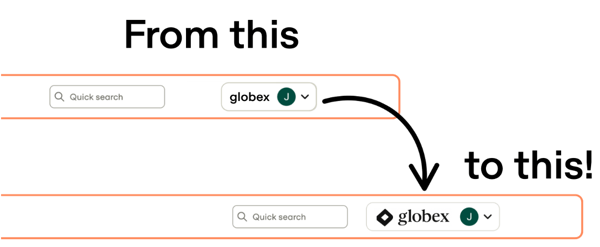
We’ve heard from customers that they want a more branded experience for their travelers — so we made it happen. You can now display your company’s logo across the AmTrav platform.
Where the Logo Appears
Your logo will show in the top-right corner of key traveler-facing pages, creating a consistent, professional look for your team.
Logo Requirements
Please send your Relationship Manager a copy of your logo in the following format:
- Horizontal version, if available
- Full color with transparent background
- Vector file (preferably .SVG)
- If you are providing a .PNG - please ensure the minimum width is 200px
How to Add Your Logo
Reach out to your AmTrav Relationship Manager and they’ll take care of the rest or email us at rm@amtrav.com.
Built With You
This feature — like so many others — came directly from customer feedback. We’re always listening and improving AmTrav to better fit your needs.