
Sometimes when requesting a visa you need to show proof of an itinerary, here's how to do that in AmTrav.
Note: this article is specifically written for travelers that require proof of an itinerary for, for example, obtaining a visa. This function can be performed on desktop or mobile, here we show desktop.
AmTrav makes it easy to capture a booking hold showing your itinerary. Here's how:
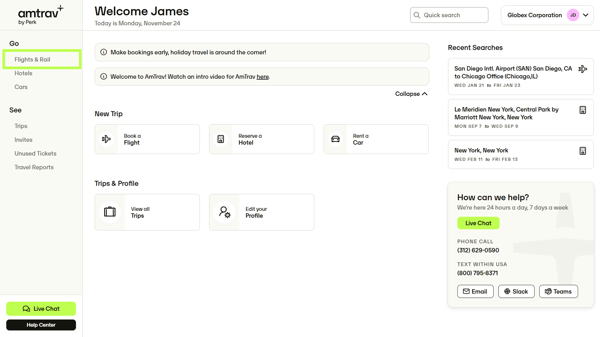
Step 1: Click on Flights & Rail on the left-hand menu.
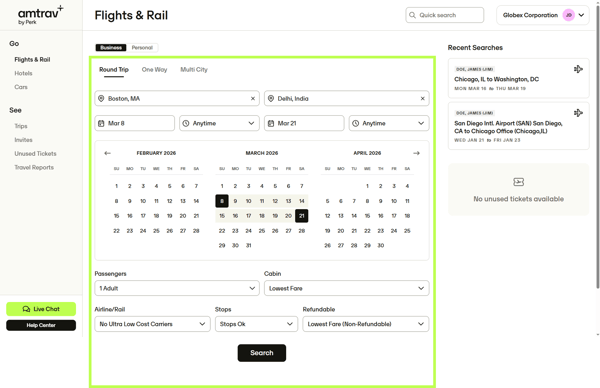
Step 2: Search for the itinerary you'll likely take, for example Boston-Delhi here, then click Search:
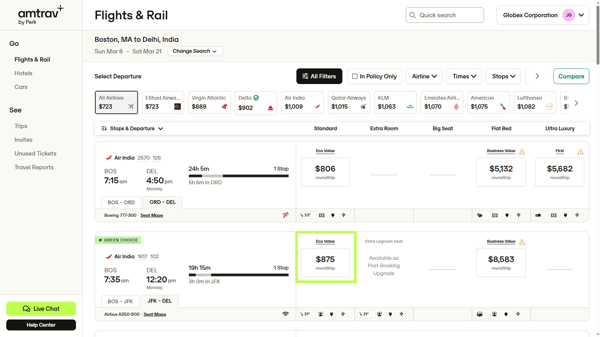
Step 3: In your search results select the flights that you expect to book. Repeat for the subsequent flight legs if you're taking a roundtrip or multi-city journey:
Step 4: You've landed on the Trip Details page, it's time to record the itinerary! You need to print this page, so right click and select "Print" or click CTRL+P (PC) or Shift+Command+3 (Mac). Note that this page includes your pricing and fare rules.
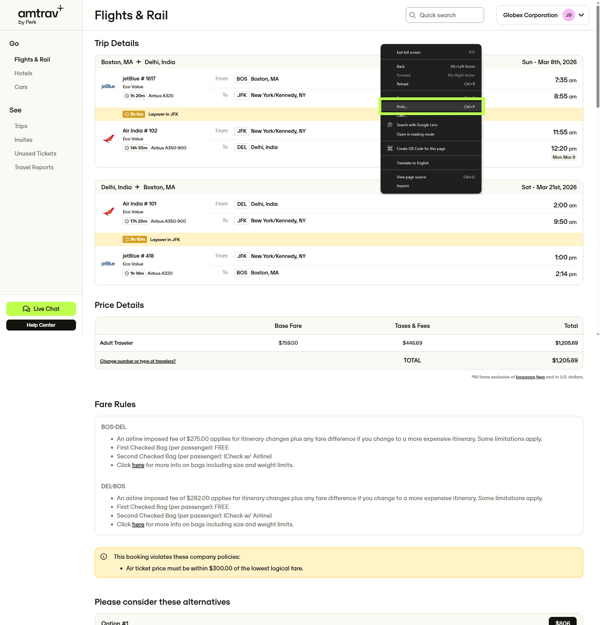
Note that you will not continue past the Trip Details page, will not actually book this itinerary.
Step 5: Select either Save as PDF or Print to PDF, then Print. From there you can save the PDF to your computer, print it as needed.
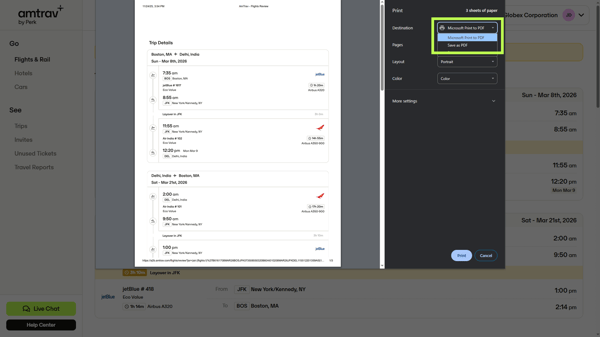
Step 6: This is your booking hold showing your itinerary. You can now share it with the relevant parties for your visa request or whatever your need. Then once you're able you can search for and complete your booking (instructions here).